Record a meeting, a lecture, an interview — the transcript and the AI summary are written as you go. Recording, transcripts, speaker identification, and AI summaries are free and unlimited.
iOS 26.1 or later · macOS 26.1 or later · No account required
UnlimitedNo caps on recording, transcripts, speaker identification, or AI summaries
On-deviceEvery free feature runs on your device
No sign-upOpen the app and start — no account to create
AI summaries
An hour of talking, on a single page
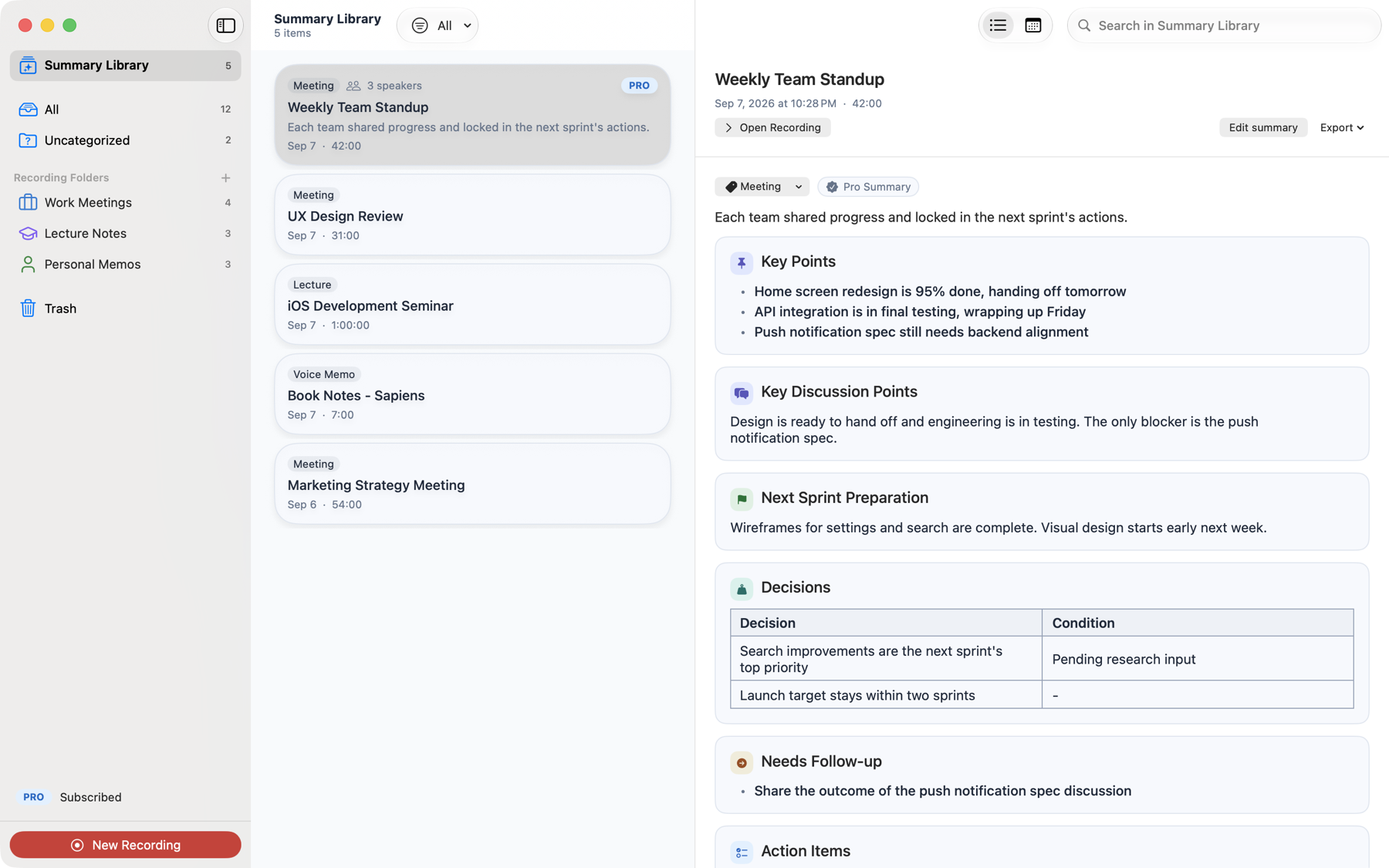
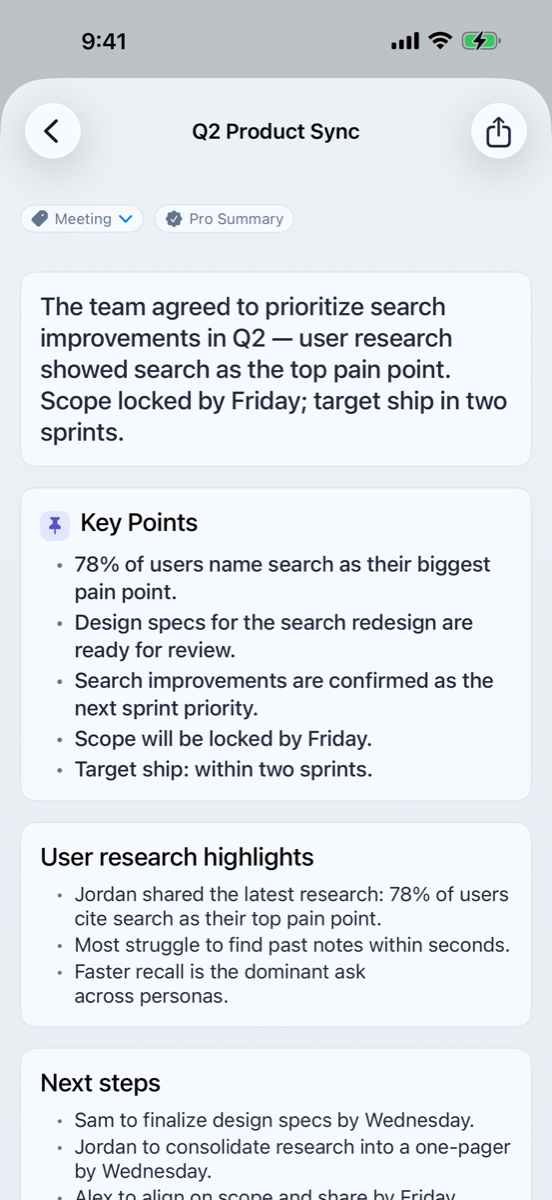
When the recording stops, Cleio lays out the key points, the discussion, the decisions, and the to-dos — shaped for the kind of conversation it was. It works out whether that was a business meeting, a lecture, or an interview.
Automatic categories — meetings, lectures and seminars, interviews, memos
Pick the summary length and the writing style, then run it again
Edit the summary in Markdown while the original stays untouched
Live transcripts
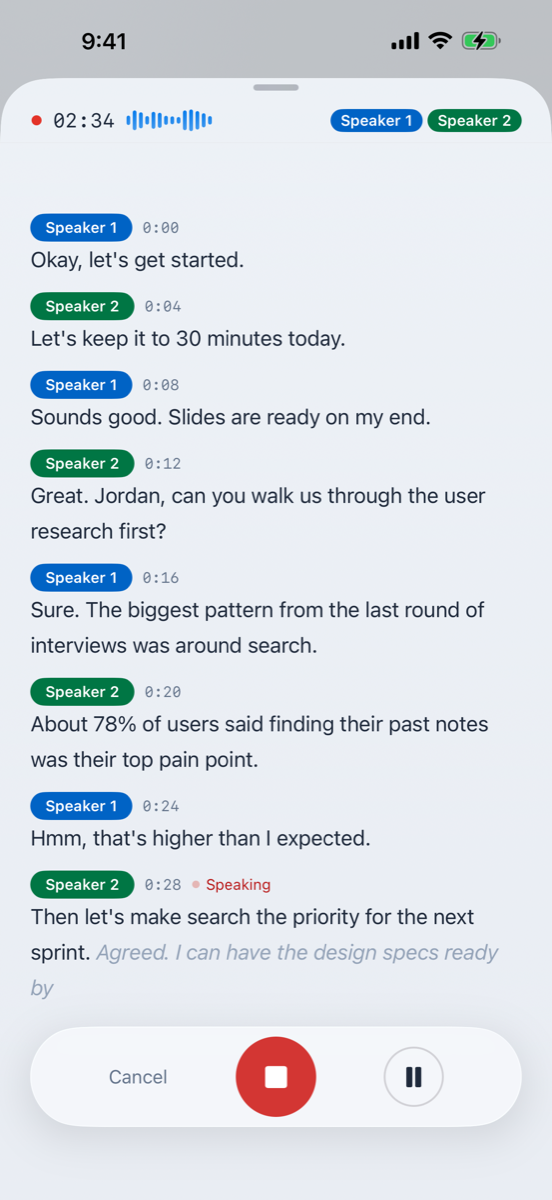
It is already writing while you record
Words land in the transcript as they are spoken, and speakers are separated on the spot. It behaves exactly the same with no internet connection at all — on a plane, for instance.
Transcription that runs alongside the recording
Live speaker identification, so each voice keeps its own thread
Follow the waveform as you listen, and split or merge sections as you edit
Keyword mapPRO
Find the conversation, not the title
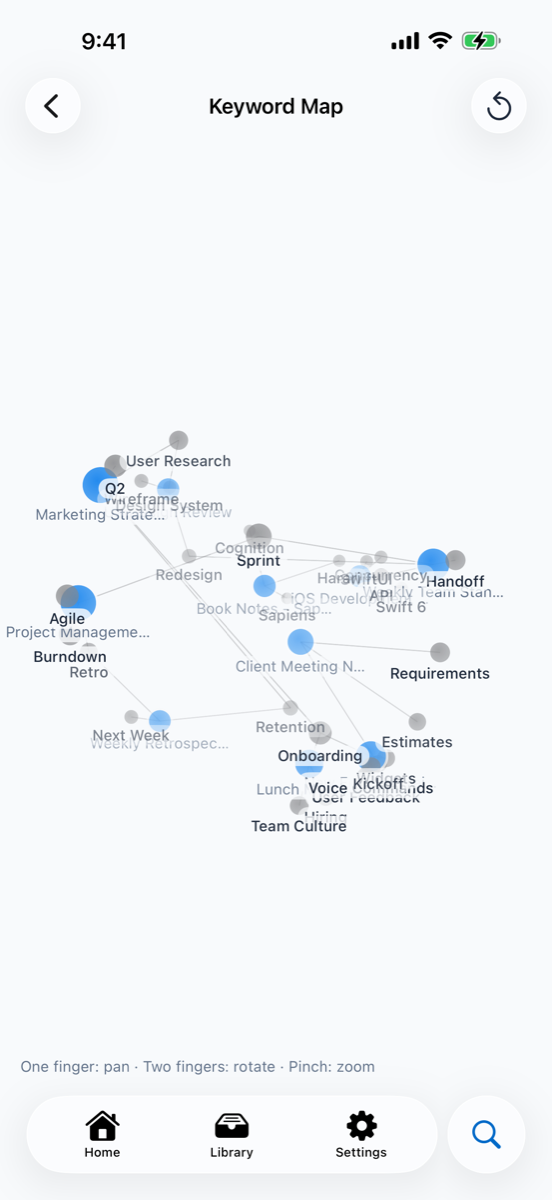
Cleio draws a map between the keywords in your summaries and the recordings they came from. You do not have to remember the title — remembering the topic is enough.
Tap a keyword and every recording that touched it gathers together
Themes that keep coming back across meetings become visible
The same map on iPhone and on Mac
What you need after the recording
Recording is the easy part. Finding it again, fixing it, and moving it somewhere useful is the rest.
Transcript editing
Fix a misheard word on the spot. Split and merge sections, undo, and find and replace.
Library
Every recording and summary in one place, sorted by folder, topic, or date — with a separate Summary Library that holds nothing but summaries.
Calendar
Link a recording to the event it belongs to and browse them by month. Included for free.
Import audio
Analyze the recordings you already have. There is nothing to record twice.
Siri and Shortcuts
Say "start recording with Cleio", or start from the Lock Screen and Control Center.
Search
Search across titles, transcripts, and summaries. Results open straight from iPhone's built-in search too.
Multilingual meeting translationPRO
Translate a recording with mixed languages into the one you choose, shown beside the transcript.
iCloud syncPRO
Record on iPhone, pick it up on Mac. Optimize storage to keep originals in iCloud and your device light.
Export and sharePRO
Export to Markdown or PDF, send to-dos to Reminders, and email the summary to everyone who attended.
macOS
On Mac it all fits in one window
Pick a folder on the left, a recording in the middle, and read the summary on the right.
Capture other apps PRO
Record the other side of a video call or a phone call too. Microphone recording stays free on Mac.
Built for the keyboard
⌘N opens a new recording, Space plays it back, and ⌘S saves the summary you just edited.
Continues from iPhone PRO
Turn on iCloud sync and it stops mattering which device you recorded on.
We don't send your voice
Audio files are never sent to our servers or to OpenAI
Free transcripts, speaker identification, and AI summaries all run on your device. With Pro, turning on iCloud sync stores and syncs your audio in your own Apple iCloud.
Pro cloud features send text only
Text is sent only after you agree to it, and it is not used for model training.
There is no account
No email, no password. See the Privacy Policy for the details.
Start free. Upgrade if you need to.
Pro does not unlock the basics — it adds cloud quality and continuity across your devices.
Free
Free
No limits
On-device AI carries a whole meeting from start to finish.
Unlimited recording
Live transcripts and speaker identification
On-device AI summaries
On-device text correction
Transcript and summary editing
Library, search, and calendar
Audio file import
Siri, Shortcuts, Lock Screen controls
Microphone recording on Mac
Annual saves more
Pro
Monthly or annual
Prices vary by region — see the App Store
Everything in Free, plus cloud quality and continuity across devices.
High-quality Cloud AI summaries
Multilingual meeting translation
Cloud AI text correction
Keyword map
iCloud sync and storage optimization
Markdown and PDF export
Reminders export and summary email to attendees
App audio capture on Mac
Subscriptions renew automatically and can be canceled any time up to 24 hours before the next billing date. Manage them in Settings > Apple ID > Subscriptions. See the Subscription Terms for the details.